How to Add Your RankMyAgent Reviews to Your REMAX BoldTrail Website
Showcase your client testimonials on your REMAX BoldTrail website by integrating your RankMyAgent (RMA) reviews. This helps build trust with potential clients and highlights the experiences of people you've worked with.
RankMyAgent Reviews to REMAX BoldTrail Website:
- Log in to your RMA account and click the "View Profile" button.
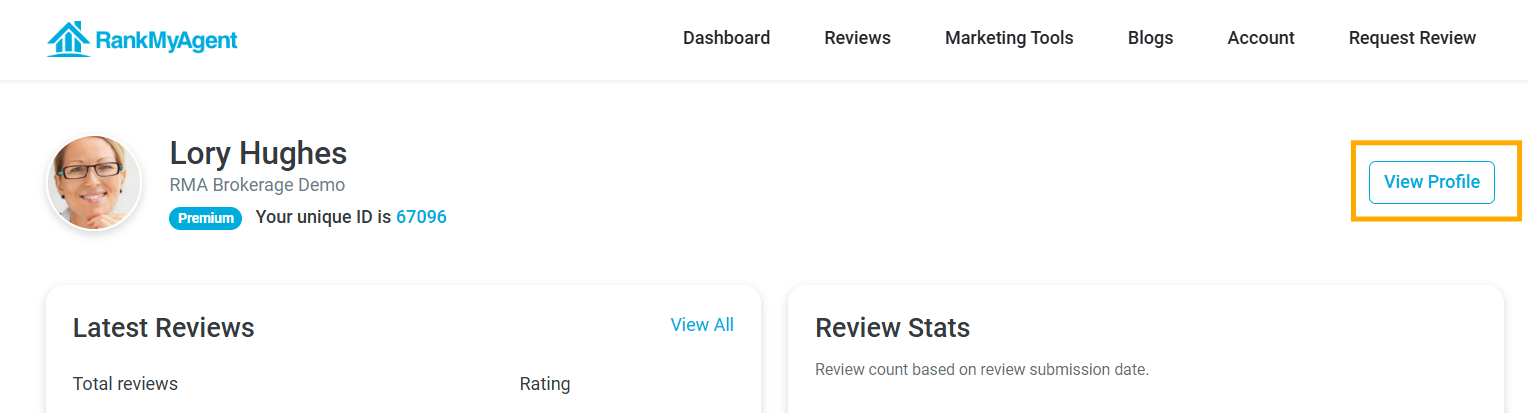
- Copy your RMA profile slug, which is the last part of your profile URL that appears after https://rankmyagent.com/.
For example, if the profile URL is https://rankmyagent.com/loryhughes, the profile slug is loryhughes.
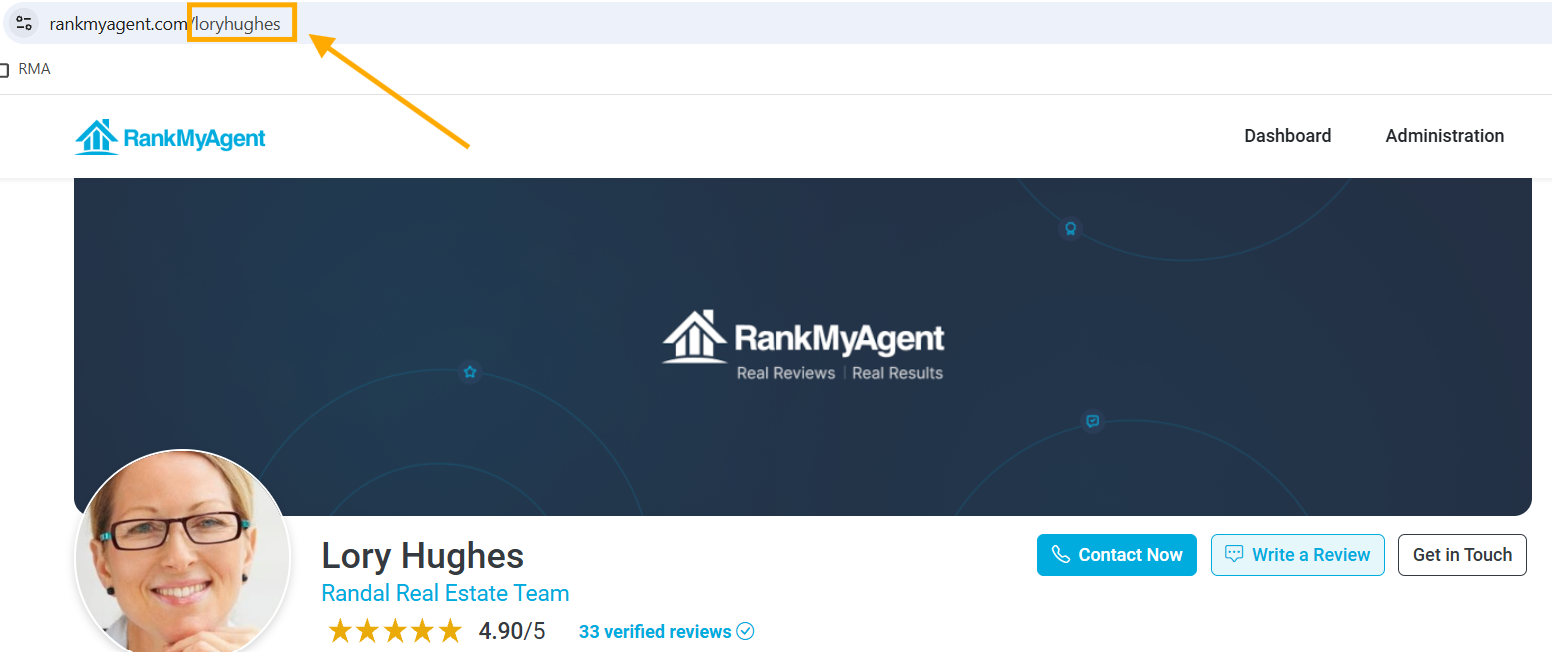
Note: Please copy the slug directly from the URL rather than creating it based on the agent's name, as ID formats may vary.
- Copy the code below and replace the SLUG and AGENT NAME.
<iframe src="https://rankmyagent.com/embed/agent/SLUG/reviews?limit=5" title="Reviews for AGENT NAME on RankMyAgent" width="100%" height="420" style="border:0; max-width:100%;" loading="lazy"></iframe>
Here's what it looks like for the example:
<iframe src="https://rankmyagent.com/embed/agent/loryhughes/reviews?limit=5" title="Reviews for Lory Hughes on RankMyAgent" width="100%" height="420" style="border:0; max-width:100%;" loading="lazy"></iframe>
- Go to your REMAX BoldTrail Website. In Web & IDX, click "Widgets."
- Click "Add Custom Widget."
- Give the widget a name and description.
- Paste in your updated code from Step 3.
- Click "Save", and your RMA reviews will appear on the website.
If you have any questions or need further assistance, please don't hesitate to contact our support team at support@rankmyagent.com.